

Care, coordinated.
A QR code in every room. A live dashboard for every team. Digital Rooms turns scattered patient requests into one quiet, trackable workflow — so nothing slips, and everyone is heard.
- Respond to patients faster
- Never miss a request
- Hear every patient
Why Digital Rooms
Patient requests shouldn't get
lost in translation.
Buzzers, phone calls, hallway intercepts, and sticky notes — most hospitals juggle requests across half a dozen ad-hoc channels. The result: slow response times, frustrated patients, and a team that's running fast in the wrong directions.
Requests get lost
Buzzers ring with no context. Phone messages are forgotten. Verbal asks vanish at shift handover.
Response times drift
Without a clock on every request, urgency fades — and patient satisfaction follows.
Language barriers
International patients struggle to communicate basic needs through verbal channels alone.
Zero visibility
No data on what's requested most, where bottlenecks live, or how long resolution actually takes.
How it works
Four steps,
zero friction.
From the moment a patient scans the QR to the moment your team marks the request complete — Digital Rooms keeps every interaction visible, timed, and on record.
Scan the room QR
Patients and visitors scan the QR posted in their room. No app downloads. No accounts. The hospital's branded interface opens instantly.
Choose a service
A clean catalog of services — housekeeping, food, pillow menu, interpreter, complaints — organized by category and tailored to each room.
Staff receive instantly
The right team member sees it in their live dashboard within seconds — with room context, history, and an open chat channel to the patient.
Resolved & rated
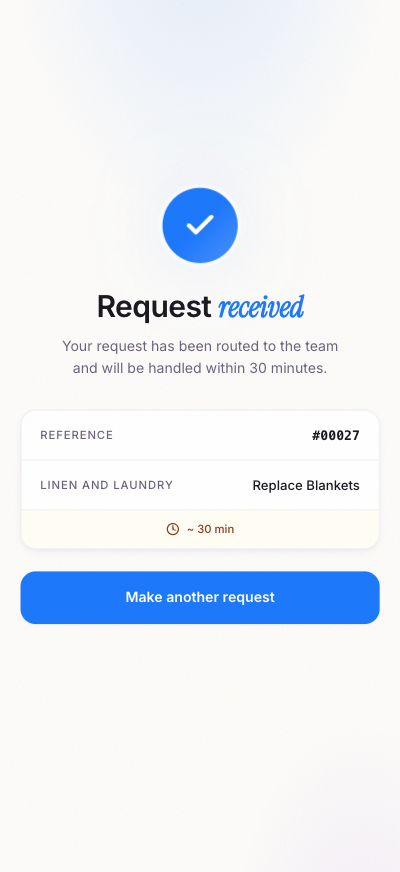
Staff marks the request complete. Patients confirm and rate the service. Every step is logged for reports and continuous improvement.
Two interfaces, one workflow
Built for the people who
ask, and the people who answer.
A guest-friendly interface that respects everyone's time.
Designed to be obvious for first-time users, yet rich enough to express exactly what they need — including details, preferences, and follow-up chat with the team.
- No app, no login — just scan and request
- Service categories tailored per room type
- Track active requests in real time
- Two-way chat with the staff handling the request
- Multilingual interface, accessible to all guests
- Star rating and feedback after every service
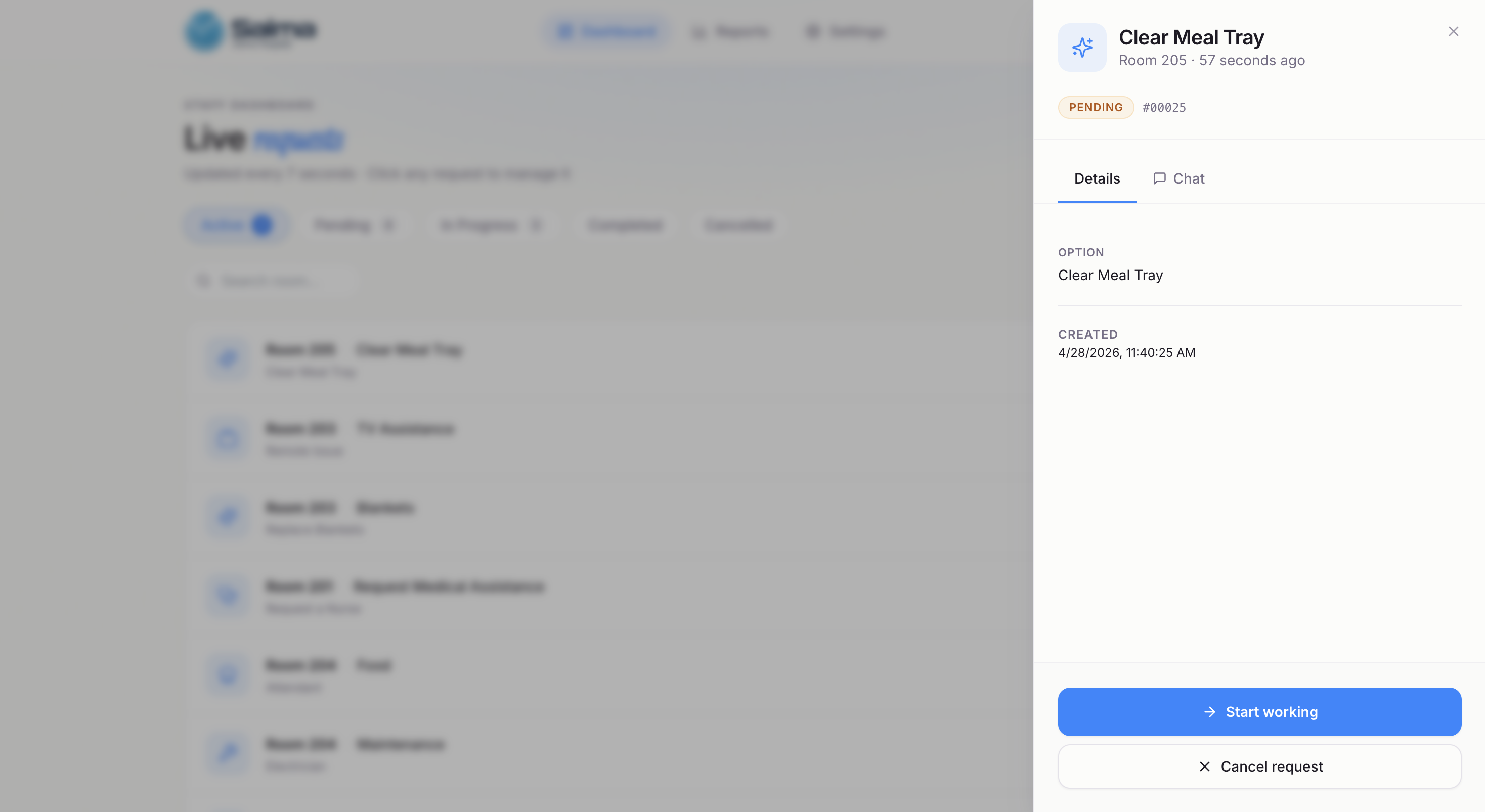
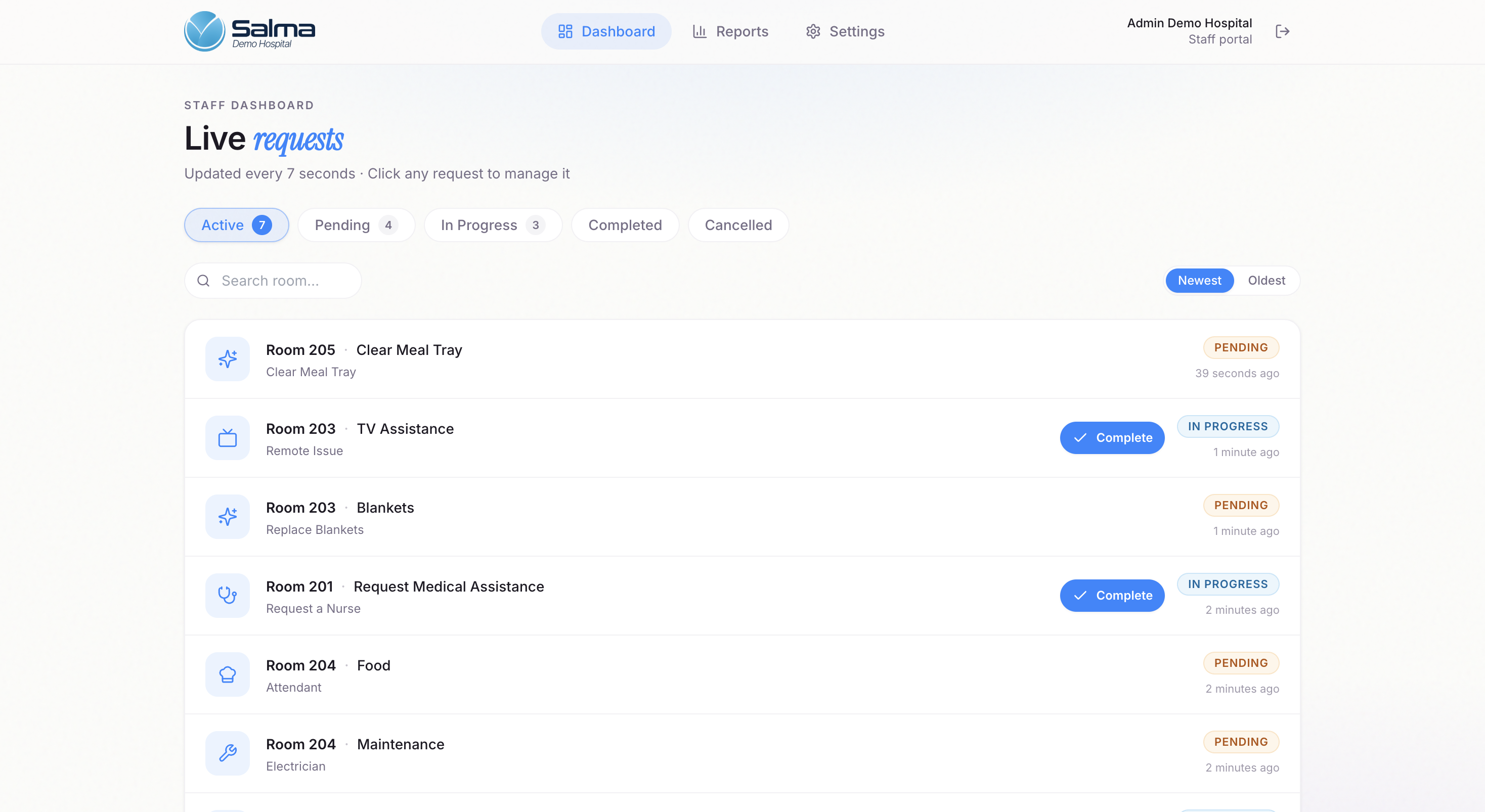
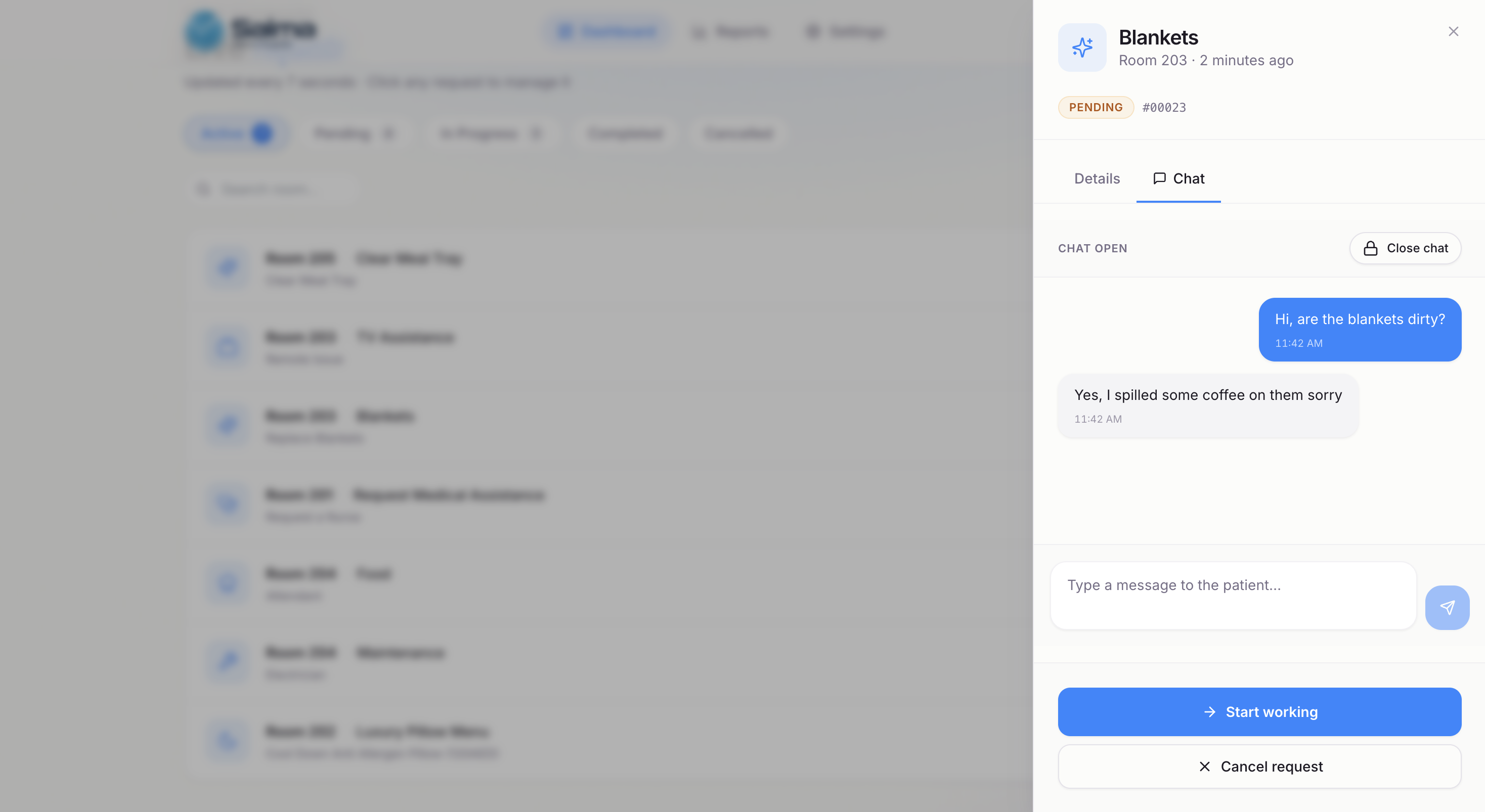
A live console that actually keeps up with the hospital.
Auto-refreshing every few seconds, organized by status, and rich in context. Staff move from request to request without losing their place — and managers see the full picture in one view.
- Live request queue with auto-refresh
- Filter by Active, Pending, In Progress, Completed, Cancelled
- Two-way chat with patient inside every request
- One-click Start working / Complete actions
- Role-based filtering — staff see only what's theirs
- Built-in audit trail on every interaction
Patient experience
Designed for the moment a patient
actually needs help.
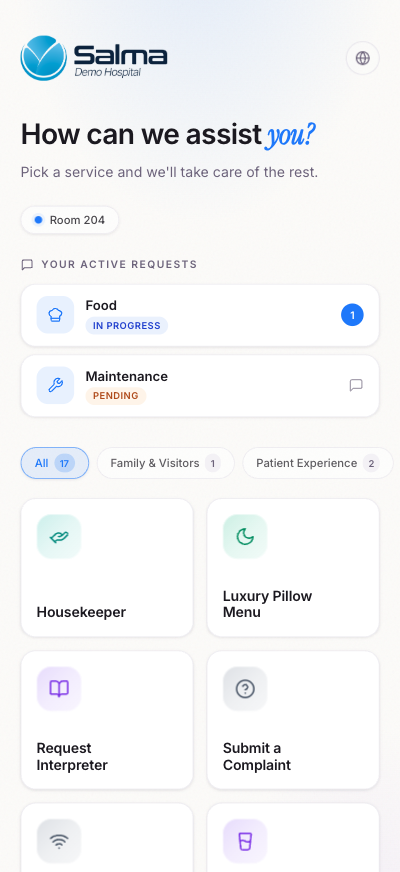
Soft on the eyes, simple on the brain. The patient interface guides guests through their request in seconds — and lets them watch progress unfold without picking up a phone.
QR-first onboarding
Patients scan the QR posted in the room and land directly on the hospital's branded interface — no install, no friction.
Smart service catalog
Services grouped by category (Family & Visitors, Patient Experience, Care). Each room shows only what's relevant.
Live request tracking
Active requests sit at the top with their status (Pending, In Progress, Completed) updated in real time.
In-context chat
Patients can chat with the staff member working their request — clarifications, follow-ups, gratitude.
Multilingual ready
Built for international guests with multiple languages and accessible visual cues.
Feedback in 10 seconds
After every completed service, a star rating + free-text field captures the patient's voice.
Live request management
Every request, on one screen,
in real time.
Your staff opens the dashboard once and stays there. Requests flow in, get claimed, and close out — all without spreadsheets, sticky notes, or back-and-forth phone calls.
- Live queue refreshing every few seconds — no manual reload
- Tabs for Active, Pending, In Progress, Completed, Cancelled
- Click any request to open Details + Chat side panel
- Start working / Complete / Cancel — one click each
- Search and filter by room, service, or status
- Each role only sees the requests they're responsible for
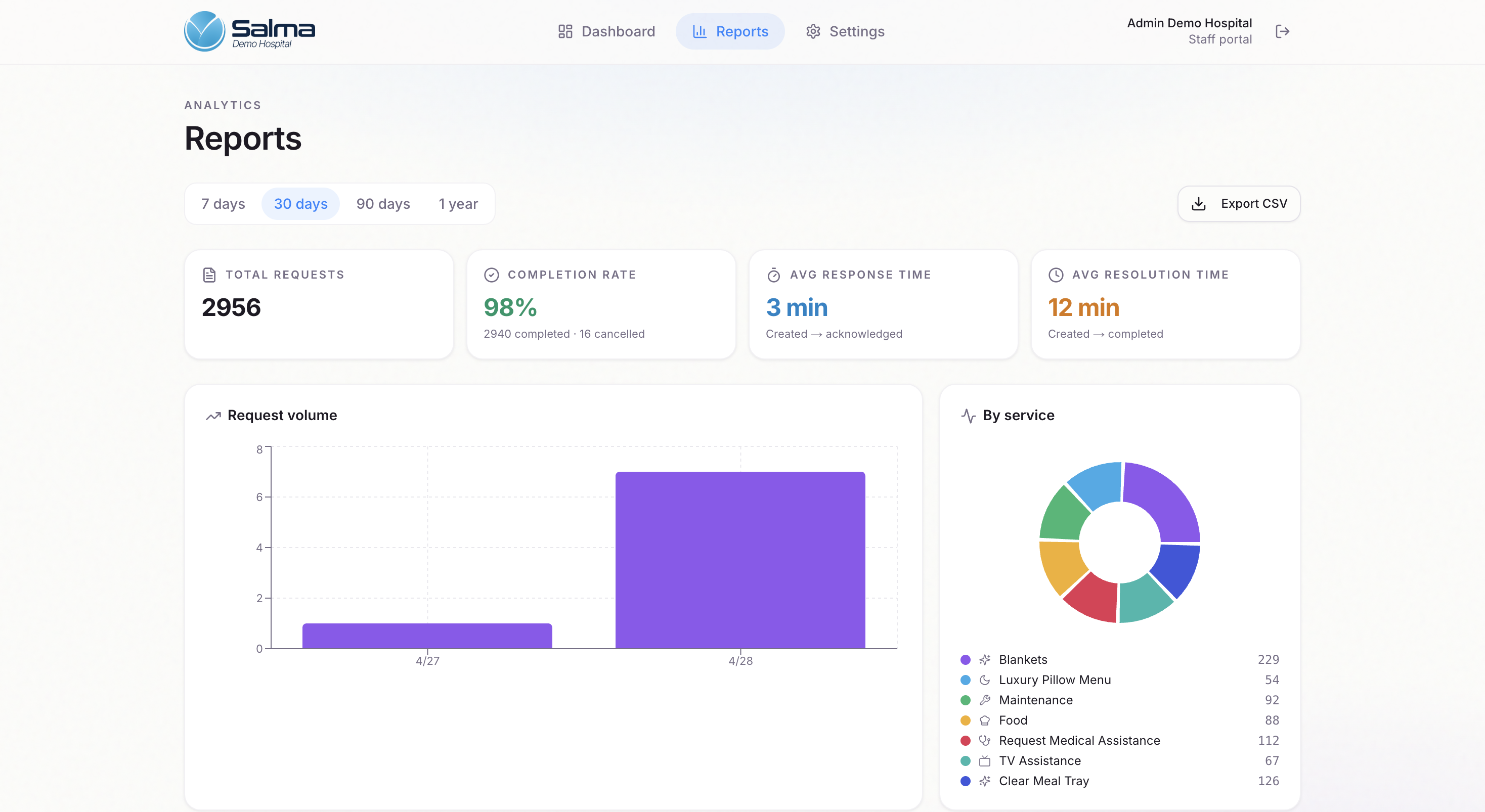
Reports & analytics
The numbers your operations team
actually wants.
Track adoption, performance, and patient demand over 7, 30, 90 days, or a full year. Every metric is exportable to CSV for downstream reporting.
Configuration
Set up your hospital
in an afternoon.
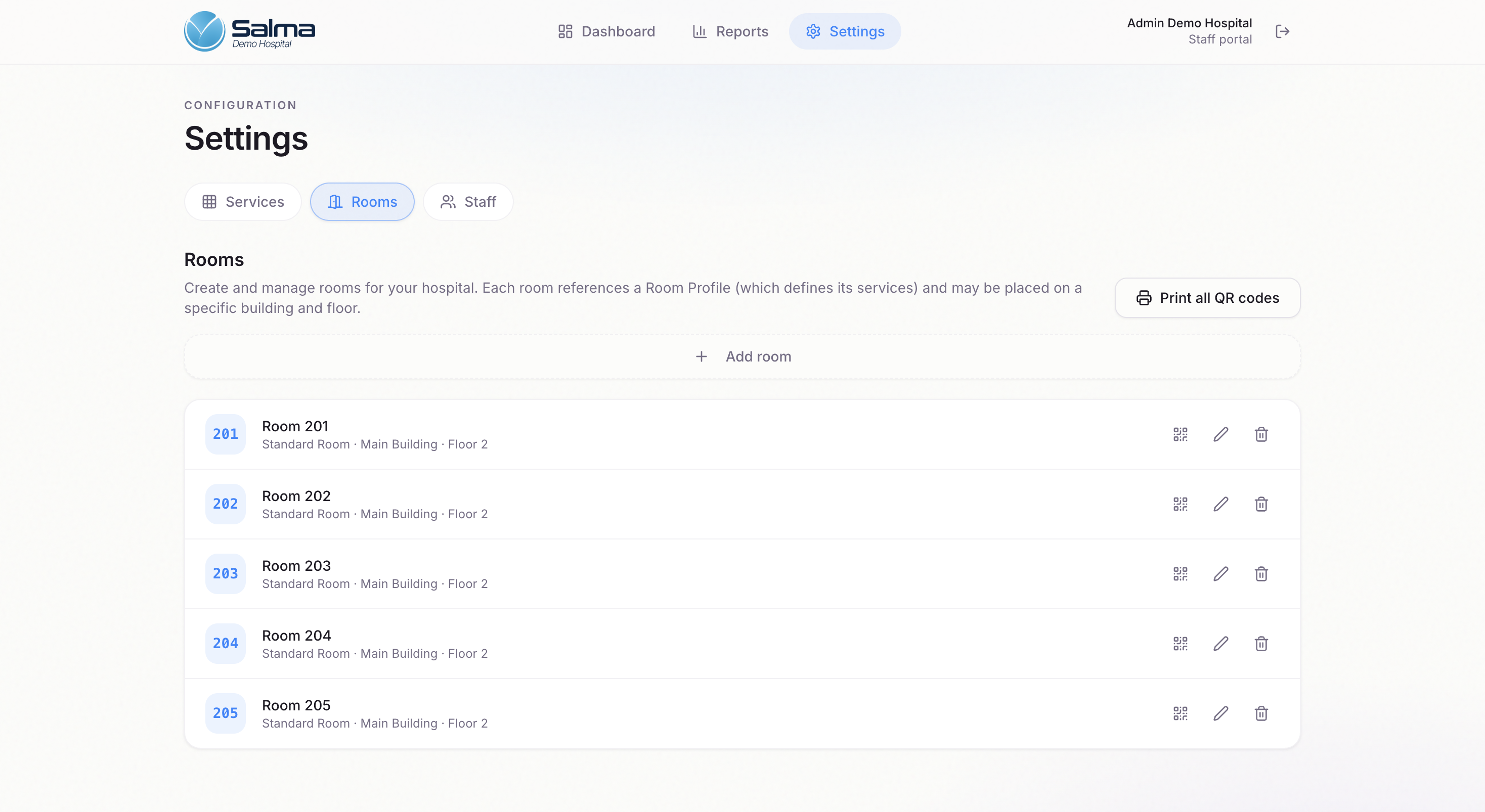
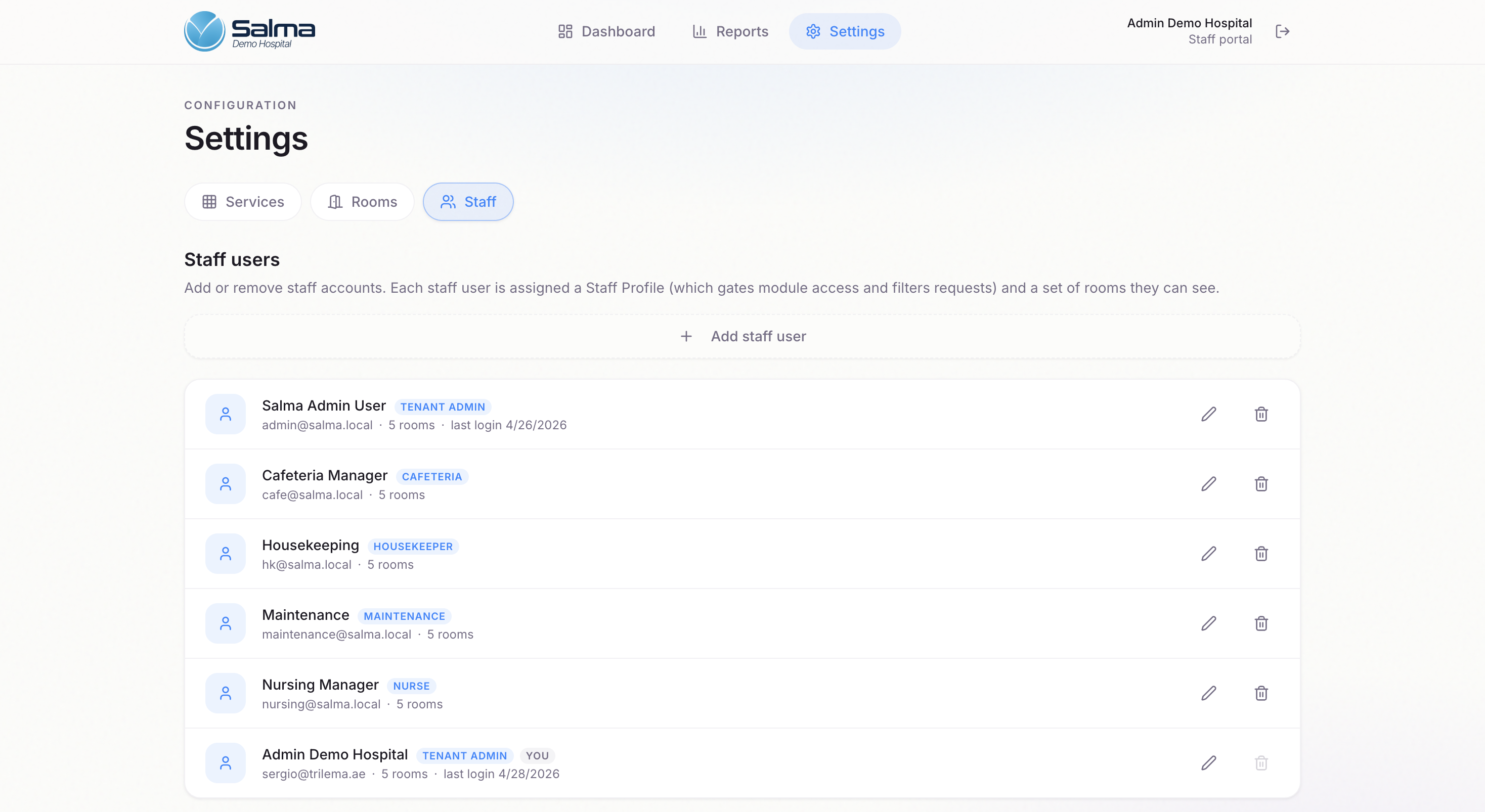
Three tabs, one source of truth. Toggle the services you offer, define your rooms with auto-generated QR codes, and assign staff with role-based access.
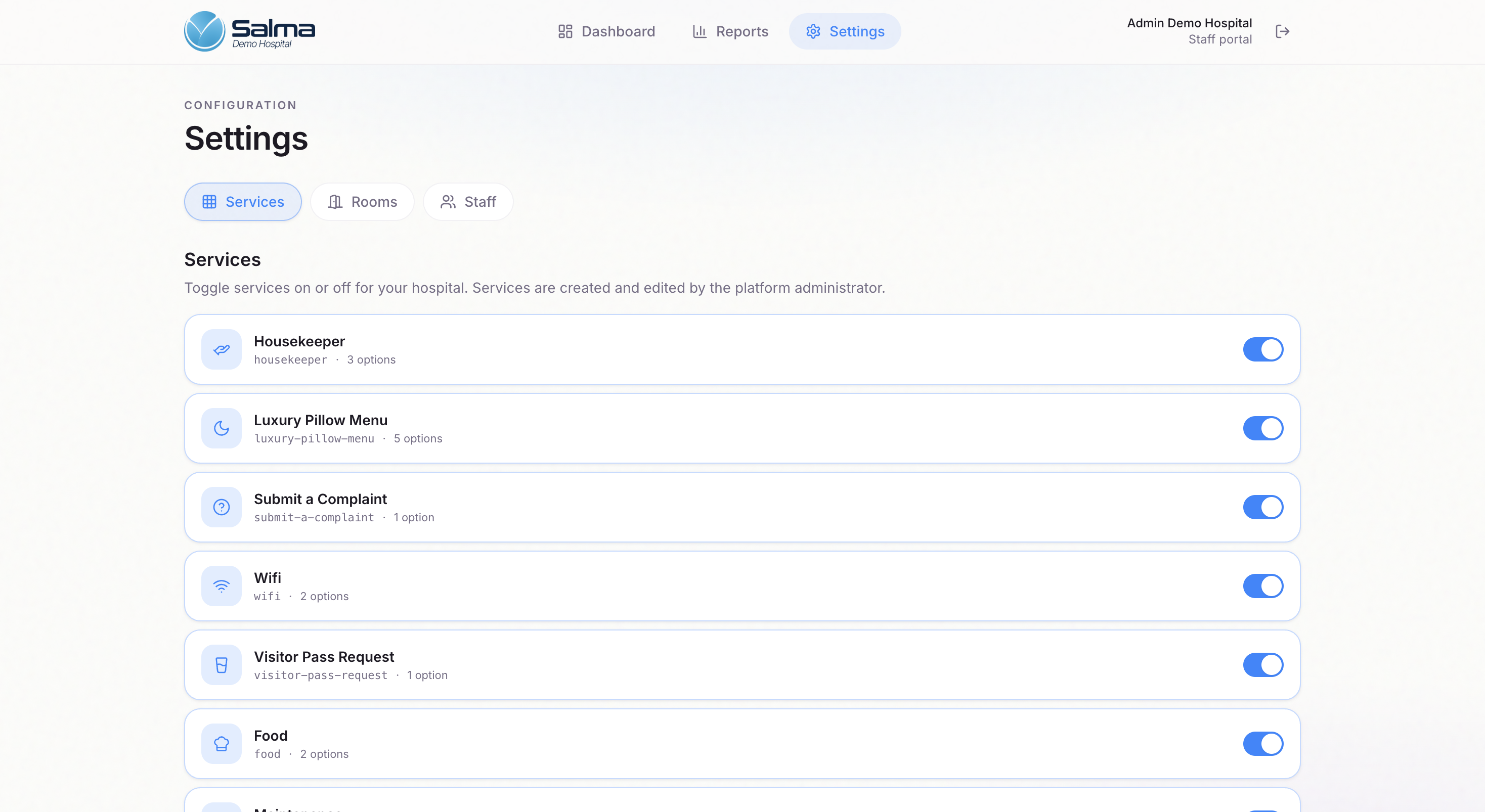
Services
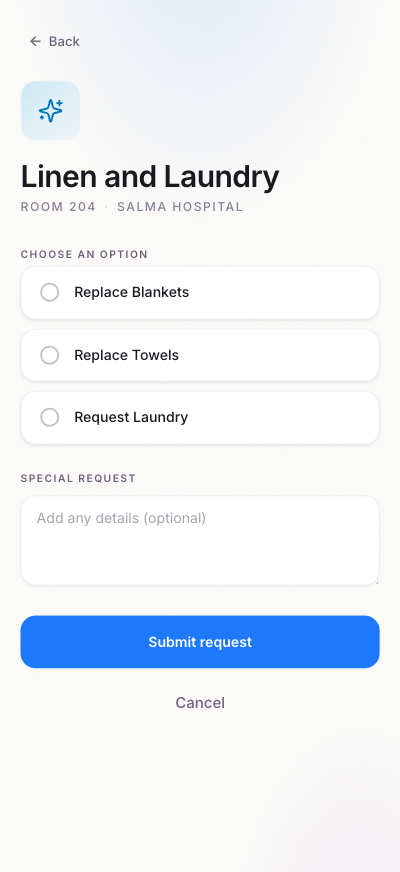
Toggle services on or off per facility. Each service has multiple options (e.g. Linen → Replace blankets / Replace towels / Request laundry) — fully configurable.
Rooms
Add rooms grouped by building and floor. Each room is tied to a Room Profile that defines which services its QR exposes. Print all QR codes in one click.
Staff
Create staff accounts and assign Staff Profiles — Tenant Admin, Nurse, Housekeeper, Maintenance, Cafeteria — controlling exactly which requests each user can see.
Where it works
If a patient sits in it,
it can have a QR.
Digital Rooms adapts to every space in the hospital — from the moment of admission to the moment of discharge.
Patient rooms
Inpatient suites with full service catalog and 24/7 chat.
Day-care chairs
Outpatient day-care positions with curated short-stay services.
Recovery rooms
Post-op recovery with quieter UI and prioritized care services.
Waiting areas
Companion areas with WiFi requests, food, and visitor passes.
Common areas
Shared lounges and cafeterias with a lightweight catalog.
Maternity suites
Tailored pillow menus, interpreter requests, and family services.
From form to live demo
in under 24 hours.
Tell us about your hospital and we'll prepare a personalized Digital Rooms environment — with your branding, your service catalog, and your room layout — ready to walk through together within one business day.